Coursepad
Local EditionWindows

Everything a class throws at you, on one page.

Coursepad is a desktop app for coursework — a calendar, a to-do list, a document library that opens almost any file, and a terminal. Nothing syncs to a cloud. Nothing is uploaded. It's a folder on your computer with a good dashboard on top.

Free 7-day trial · then $5.99/mo or $24.99 once · no account for your files

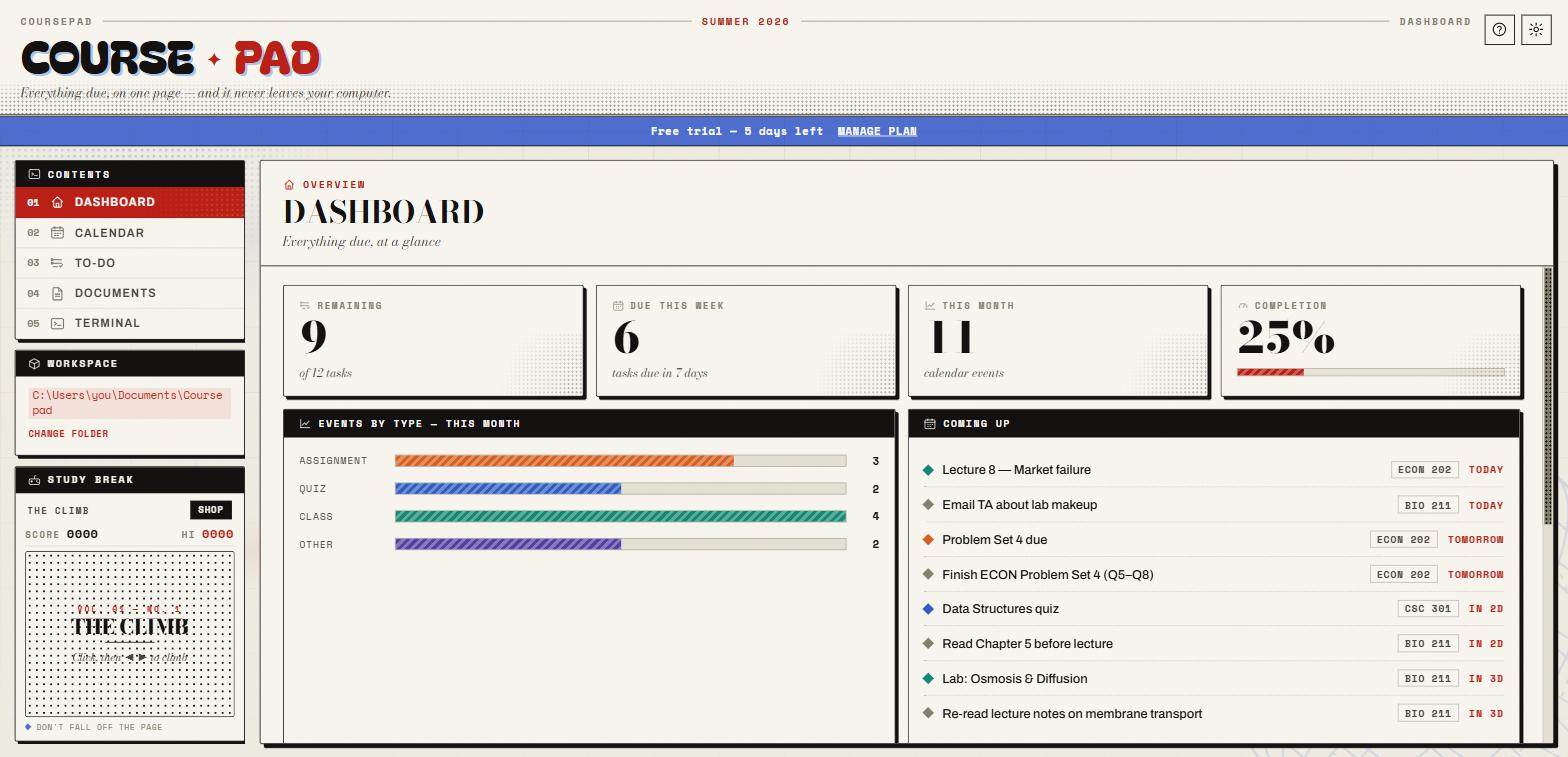
Coursepad — Dashboard
Coursepad dashboard: remaining tasks, due this week, events by type, and a Coming Up agenda
No account for your workYour notes, files and schedule live in a folder you pick. Sign-in is only for billing.
Nothing leaves your computerNo cloud sync, no uploads, no analytics or telemetry in the app.
Yours to keepCancel any time and every file stays exactly where it is, fully readable.
What's inside

Five tabs. One folder. No busywork.

Add an exam once and it shows up on the dashboard, the calendar, and the week strip. Drop a PDF in and it opens in the app.

01 — Dashboard

The whole term at a glance

Open Coursepad and see what's actually due — tasks remaining, deadlines this week, a rolling agenda, and a breakdown of your workload by course and by type.

  • Live counts for remaining tasks and completion
  • "Coming up" merges calendar events and dated to-dos
  • Bar charts by course so you can see where the crunch is
Dashboard with stat tiles and charts
02 — Calendar & To-Do

What's due, and when

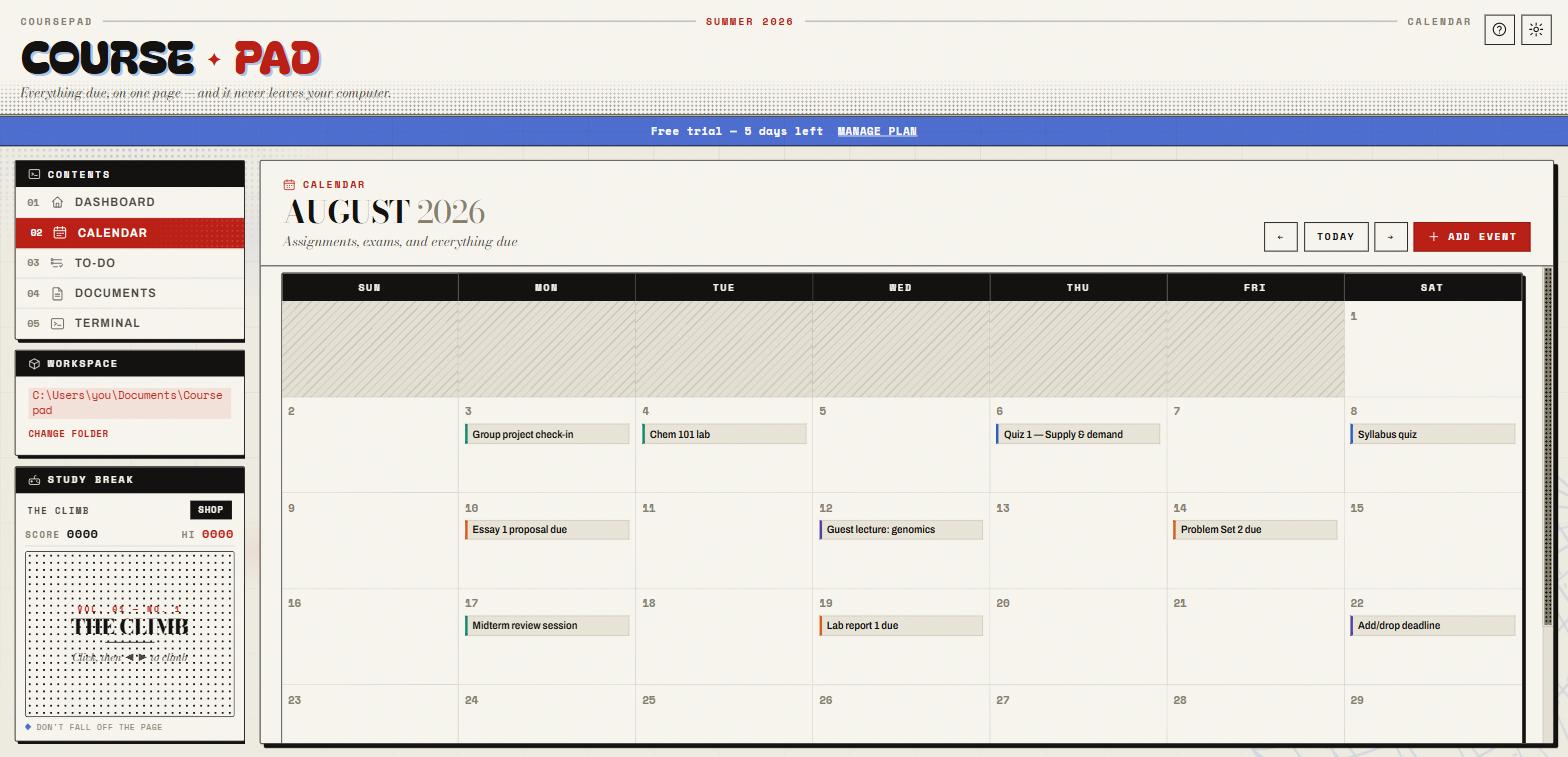
A month calendar for exams, quizzes, assignments and classes — colour-coded by type, tagged by course. The to-do list sorts itself into Overdue, Today, Tomorrow and This Week the moment you add a due date.

  • Click any event to edit date, type, course and notes
  • Tasks group automatically — no manual sorting
  • Everything is a plain JSON file in your folder
Month calendar with colour-coded events
03 — Documents

One viewer for every file

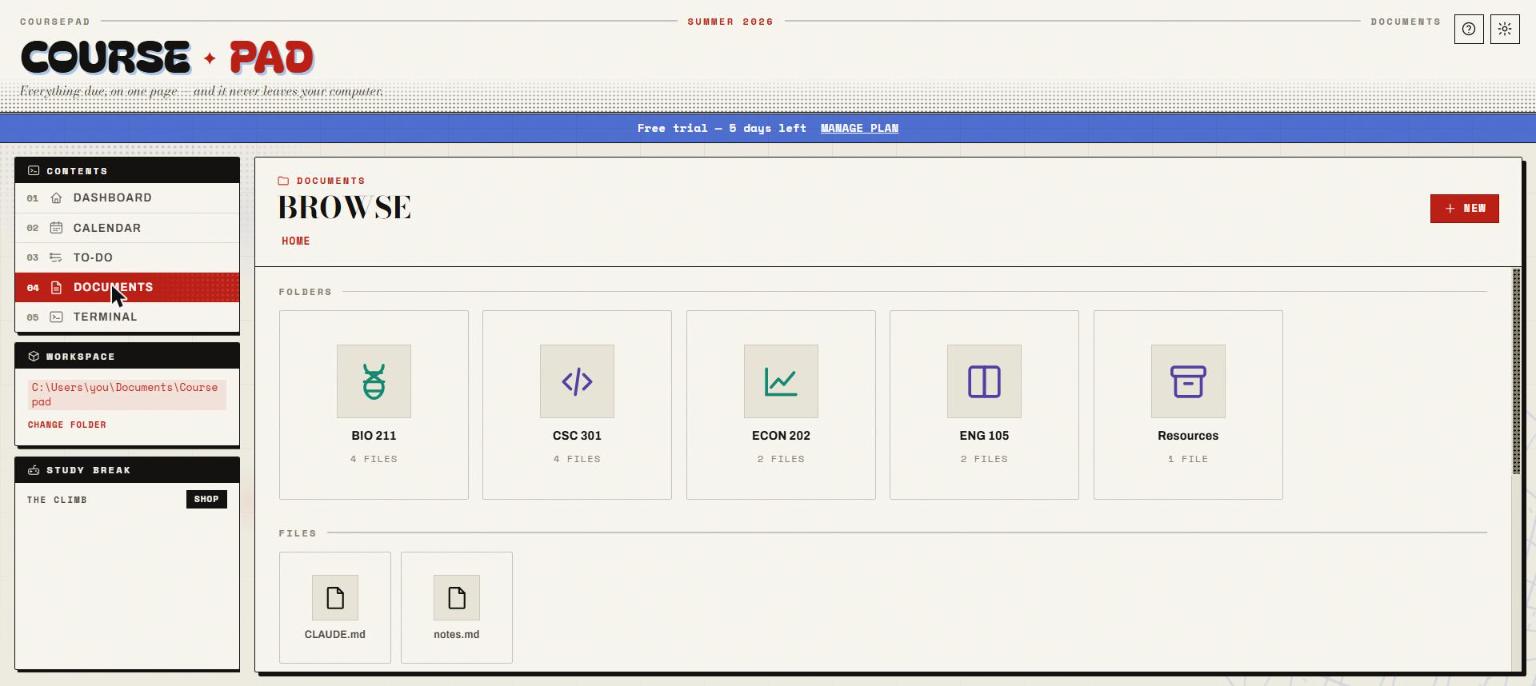
The Documents tab is a real view of your folder. Click a file and it opens right in the app — no other programs, no "download to view".

PDFWordExcel MarkdownCSVCode + syntax ImagesAudioVideo
  • Drag files onto the window to import them
  • New folder / new note, rename, move to Recycle Bin
  • Course-code folders get smart icons automatically
Document library with folder tiles
04 — Terminalthe reason Coursepad exists

A terminal in your coursework folder — wired for Claude Code.

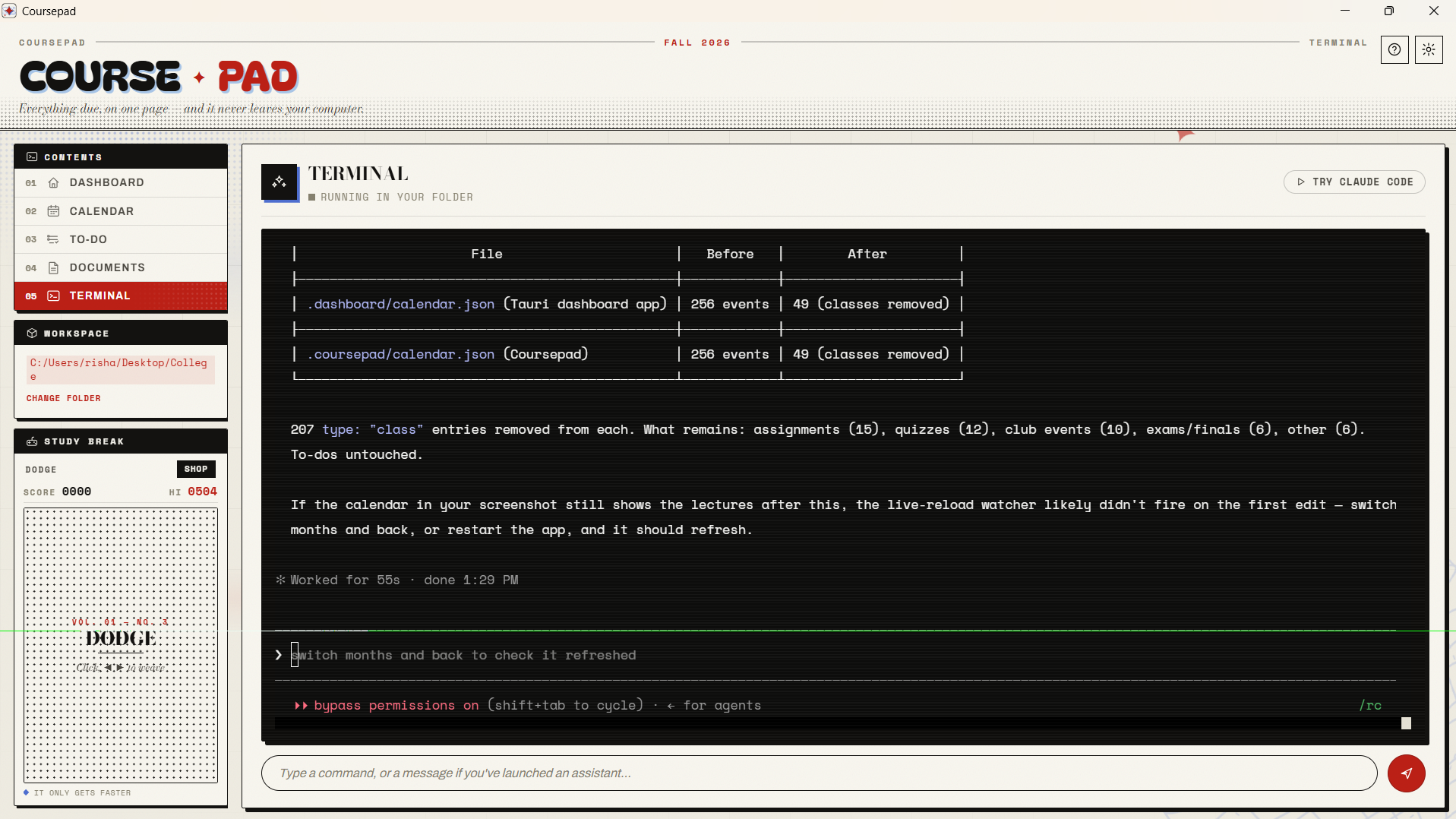
Coursepad doesn't bundle AI. The Terminal tab is a normal command line that always opens in your folder. But if you have your own Claude Code plan, type claude and it can read and change your actual coursework.

Claude Code running in the Coursepad terminal, reading a lecture transcript and adding events to calendar.json
  1. Turn a lecture transcript into notes. Paste or drop the transcript in your folder, ask Claude to summarize it — you get a clean Markdown note next to your other files.
  2. Hand it your schedule. "Here's my syllabus / my week" — it fills in the calendar and to-do list, with due dates and course tags.
  3. Keep assignments straight. Ask what's overdue, what's coming, what you haven't started. It reads the same JSON the dashboard uses.
  4. Even tweak Coursepad itself. Change a setting, adjust your folder layout, fix something — from the same terminal.
Requires your own Claude Code subscription Claude Code is a separate product from Anthropic, billed by them. Coursepad doesn't include it and doesn't resell it. Everything else in Coursepad — calendar, to-dos, documents, the viewer — works fully without it.
Extras

Study Break & skins

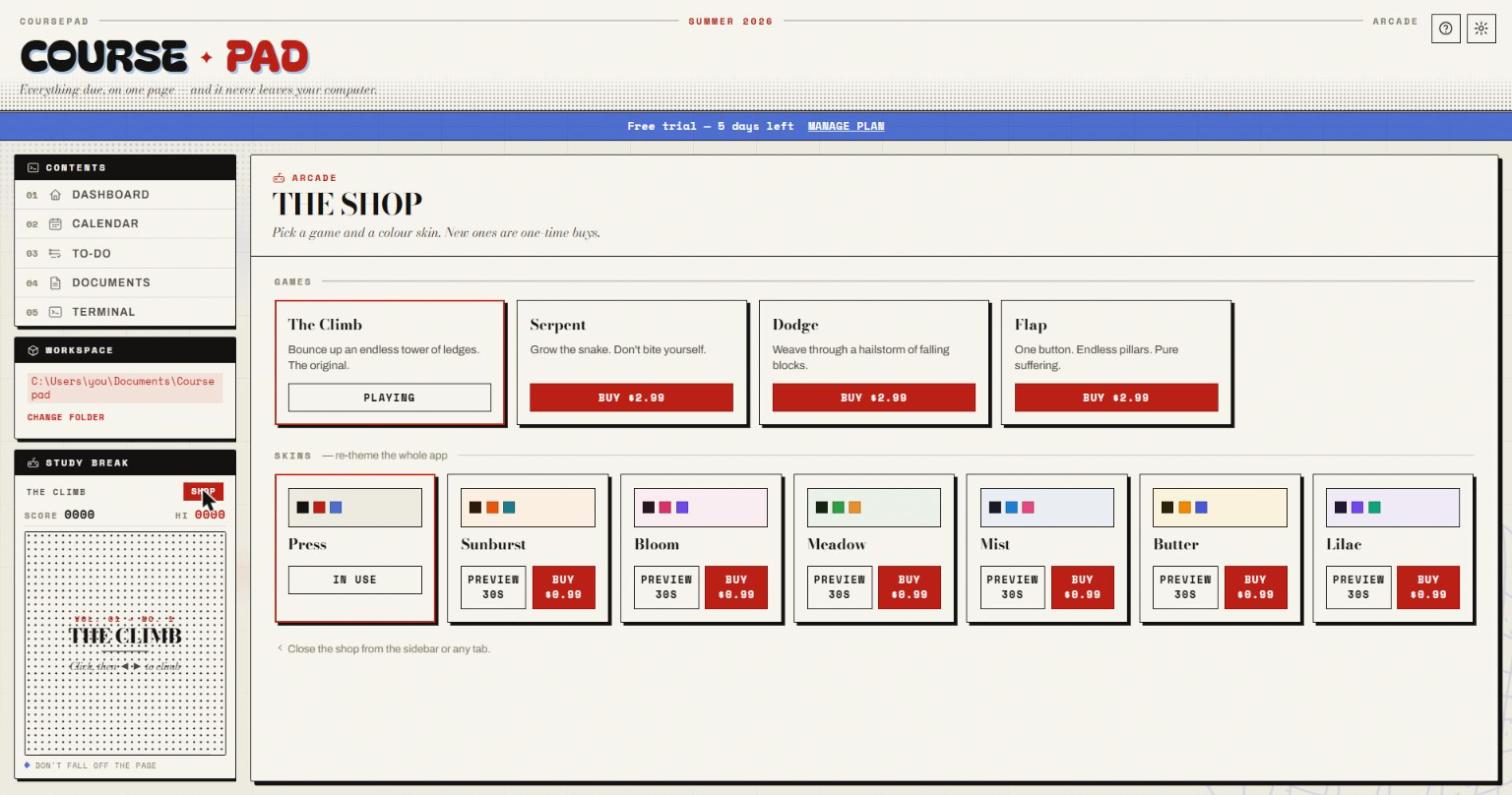
A little arcade lives in the sidebar for when you're stuck — The Climb is free, three more games are a one-time $2.99 each. Seven pastel skins re-theme the entire app; preview any of them for 30 seconds before you buy ($0.99).

Pressfree
Sunburst$0.99
Bloom$0.99
Meadow$0.99
The arcade shop with games and colour skins
Pricing

One payment for life, or a small monthly

Same app either way. Cancel any time — your files are never touched.

Monthly
$5.99 / month
7-day free trial, card required. Then $5.99/month. Cancel anytime.
Start free trial

Secure checkout via Stripe · sign in with a one-tap email link, no password

FAQ

The usual questions

Do I need an account?

Only for billing. You sign in with a one-tap link sent to your email — no password. Your coursework, files and schedule never touch that account; they stay in a folder on your computer.

Is any of my data uploaded?

No. The app has no analytics and no telemetry. The only network calls it makes are to check your subscription status. Your documents and notes stay local.

What is the terminal for?

It's a real command line that always opens in your Coursepad folder — handy on its own. Its main purpose is Claude Code: if you have a plan, you type claude and it can turn transcripts into notes, fill your calendar from a syllabus, track assignments, and more.

Do I need to pay for Claude Code?

Yes, separately — Claude Code is Anthropic's product and they bill it. Coursepad does not include it or resell it. Every other feature works without it.

Which operating systems?

Windows today. The code is cross-platform and a macOS build is planned.

Refunds?

All sales are final. The 7-day free trial on the monthly plan is there so you can try Coursepad before you pay a cent. We'll still fix a genuine billing error or a broken install — email us. Details in the Refund Policy.

Get your term on one page.

Free for 7 days. Then it's yours for $24.99, once.

↓ Download Coursepad for Windows